
Personal open-source product
LexiNote
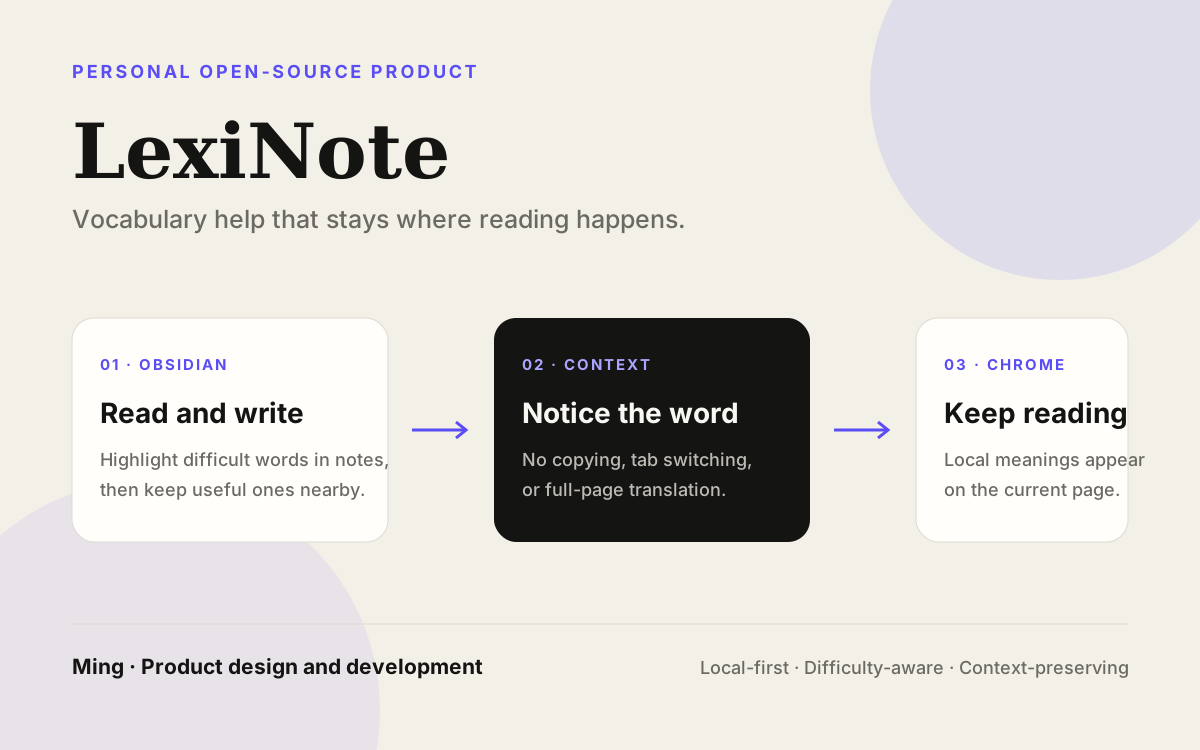
A context-preserving vocabulary assistant for English reading and writing, available inside Obsidian notes and Chrome pages.
- Type
- Personal open-source product
- Status
- Available on Obsidian and Chrome
- Founder role
- Product design and development
- Processing
- Local-first by default
Context
Reading in a second language is often interrupted by a handful of words, not by the whole page. The usual response is to copy a phrase, switch to a dictionary, or open a translation tab. That gives an answer, but it also removes the word from the note or article where it appeared.
LexiNote started from a smaller question: can vocabulary help appear at the moment of reading without turning the reading surface into a separate study app? The product treats the original note or page as the place where understanding and vocabulary accumulation should happen.
Goal
The goal was to reduce reading friction while keeping the learner in context. A difficult word should be noticeable, explainable on demand, and easy to keep for later review without requiring a full-page translation workflow.
The two extensions apply the same principle to different surfaces: Obsidian supports reading and writing in Markdown notes, while Chrome supports lightweight assistance on the current English web page.
Two surfaces
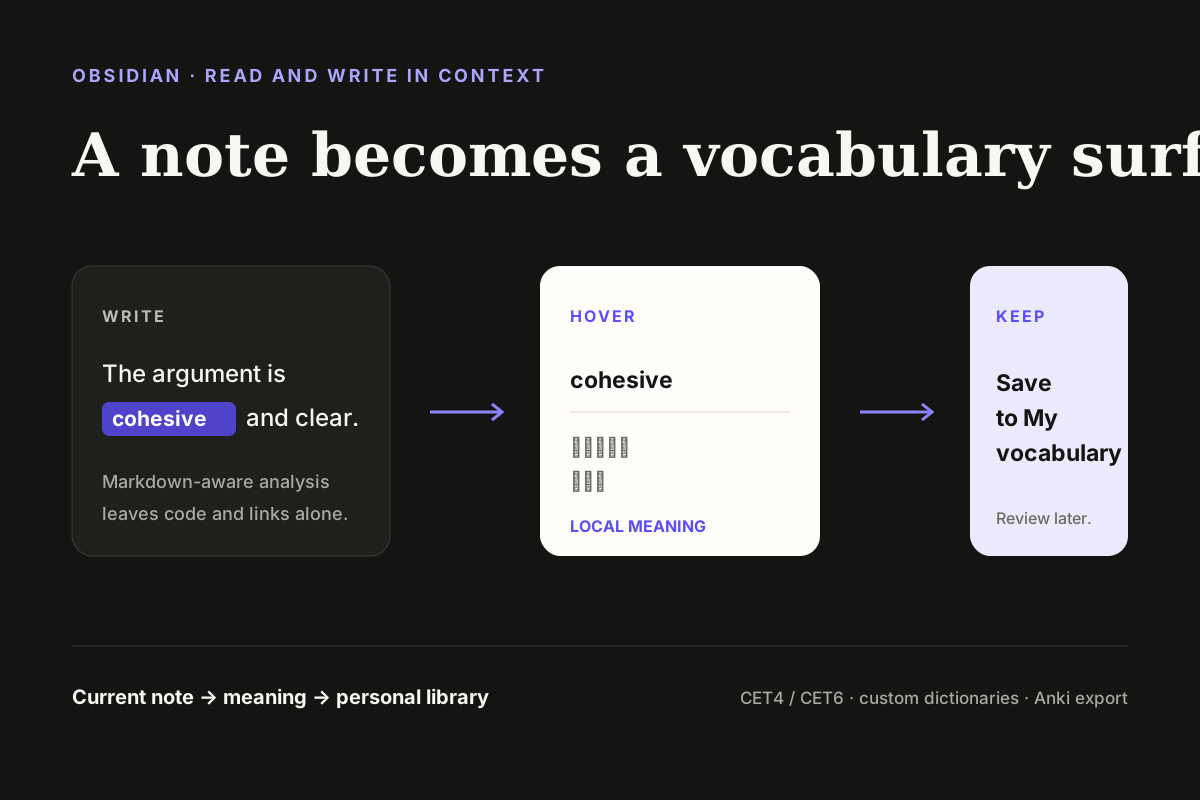
In Obsidian, LexiNote highlights words above a configurable difficulty, shows local meanings on hover, and opens a current-document word list. Useful words can move into a personal Vocabulary Library, where they can be searched, marked known, edited through custom dictionaries, or exported as LexiNote JSON and Anki-compatible TSV.
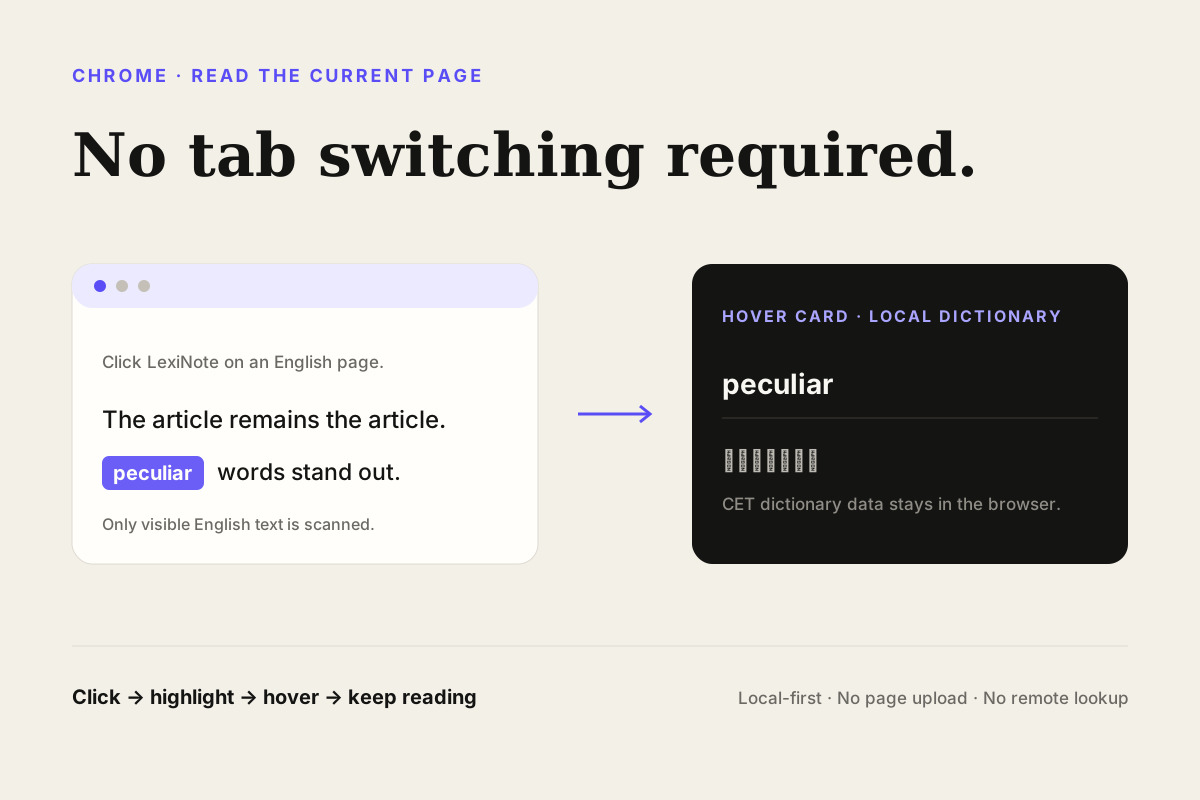
In Chrome, the user clicks the extension icon on the current tab. LexiNote scans visible English text, highlights difficult words from its built-in CET4/CET6 dictionaries, and shows a local meaning on hover. It deliberately skips interaction-heavy areas such as inputs, buttons, code, and similar content.
Founder role
Ming defined the product idea, interaction model, difficulty rules, dictionary behavior, local-first boundary, extension implementation, documentation, and release maintenance across both clients.
Keeping the two clients aligned required deciding what should remain shared and what should be surface-specific. Obsidian needs vocabulary management and Markdown-aware analysis; Chrome needs a one-click page scan that does not take over the page.
Key decisions
LexiNote is intentionally an aid for reading, not a replacement for reading or a complete translation service.
Decisions
- Keep meanings, matching, settings, and vocabulary data local by default; do not upload notes, page text, URLs, or lookup results.
- Use difficulty-aware highlighting instead of marking every word, so attention stays on vocabulary that is more likely to create friction.
- Preserve the source surface: Obsidian analysis skips code, URLs, and wikilinks; Chrome analysis avoids inputs, buttons, and code blocks.
- Make familiar words fade out of the workflow through known-word markers and hide-known settings rather than forcing repeated review.
- Keep the Chrome version deliberately small; it does not claim PDF/OCR, selected-text translation, accounts, sync, or remote AI features.
Current result
The Obsidian plugin is available through Community Plugins and is published under the MIT license. The Chrome extension is available through the Chrome Web Store. Both products have bilingual user guides in the Digital Garden, and the Chrome guide includes a separate privacy statement describing local processing and the absence of analytics, tracking, cloud sync, or remote lookup.
The current result is described through inspectable behavior rather than learning-outcome claims: install pages, documentation, release information, and the actual local interaction model are all available for review. No user counts, download claims, or measured learning effects are added here.
What this work clarified
Vocabulary tools become less disruptive when they respect the place where a word was encountered. The useful unit is not an isolated definition; it is a small cue that preserves the surrounding sentence, note, or article.
The two clients also show why a shared product principle does not require an identical interface. A writing environment can support a library and custom dictionaries, while a browser extension can remain a single-action reading aid. Both should disappear back into the user’s original task once the question is answered.
Working evidence
One idea, two reading surfaces.
Neutral product-flow diagrams for the two public extensions. They explain the interaction model without presenting concept art as a screenshot.
Try the extensions
Keep the word where you found it.
Install LexiNote from Obsidian Community Plugins or the Chrome Web Store, then read the guides for the two workflows.
Install for Obsidian